|
Swapping out a crew member |
  
|
|
Swapping out a crew member |
|
Replacing Crew : No Orders Placed
If someone has no orders raised for their shifts, you can just go into the Position column and set the allocation to cancelled instead of booked
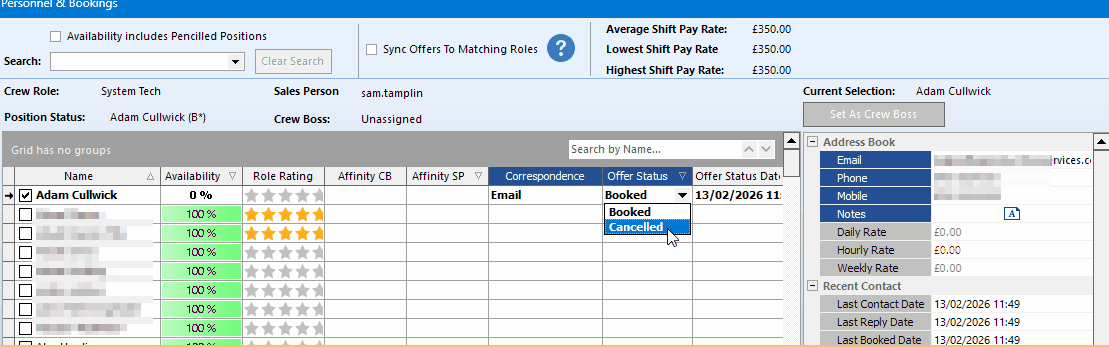
You then get a dialog asking whether you want to cancel the position all together or just the person
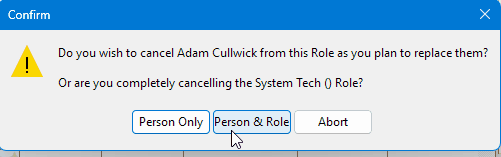
So we select person only
You can then select another person to take their place
Replacing Crew : Orders Placed
If someone has orders against the bookings then it is a similar procedure , however we have to clear the purchase orders
In this example Adam is booked on the 29th it has a green thumbs up so the order has been placed.

In which case if you follow the same procedure - we set him to canceled as before and select person only then it will split the line to allow you to add an alternate crew member

To cancel the order for Adam, Click on his name and then press manage orders at the bottom of the form and either Append the PO or Raise PO for difference which will create a matching credit note or append the cancellation amount to the existing PO
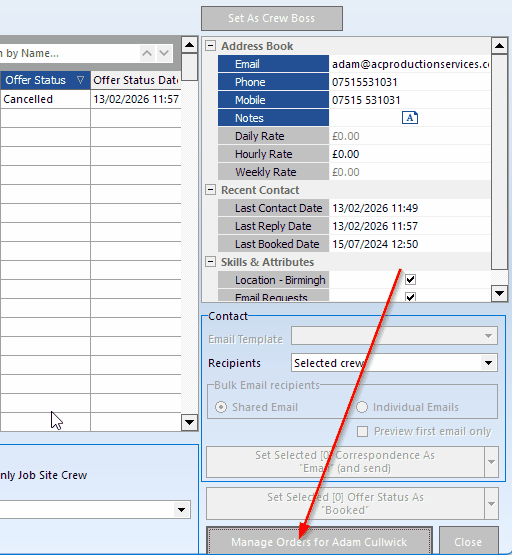

Once the order is cleared you can then delete Adams shift by right-clicking on it and selecting delete
You can then click on the 'unprocessed' (1) select someone else (2) and book them (3)
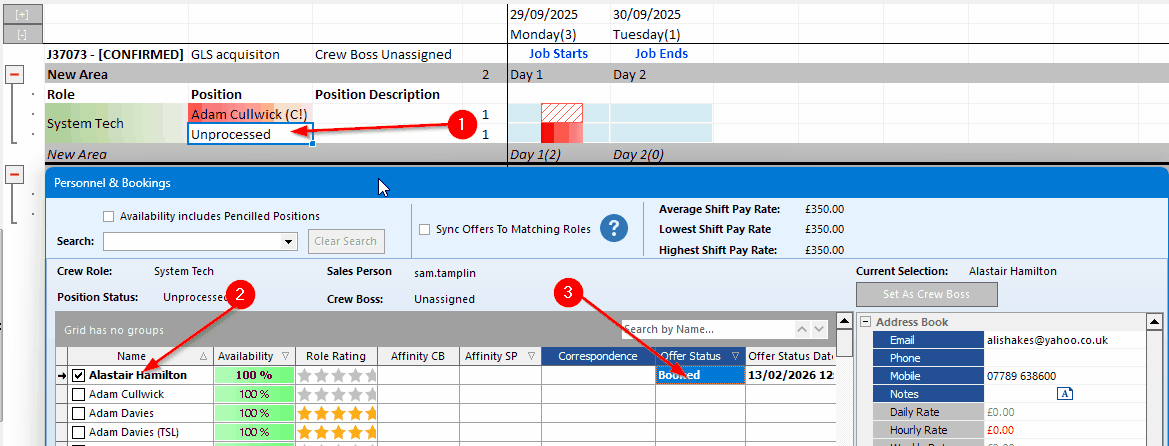
The display then shows

So you can see Adam is canceled and Alistair is now booked