|
Modern Authentication (oauth2) |
  
|
|
Modern Authentication (oauth2) |
|
HireTrack NX can send outgoing email by signing in to a Google or Microsoft account, instead of storing that account's password — the modern, more secure method, and the only one Google/Microsoft now allow for most accounts.
The sign-in mechanism is configured in two places: My HireTrack (each user's own outgoing email) and Setting the Rules (the system account HireTrack NX uses for automatic emails).
Setting the Rules
Go to Software Configuration>General and select ‘Rules’ from the drop down
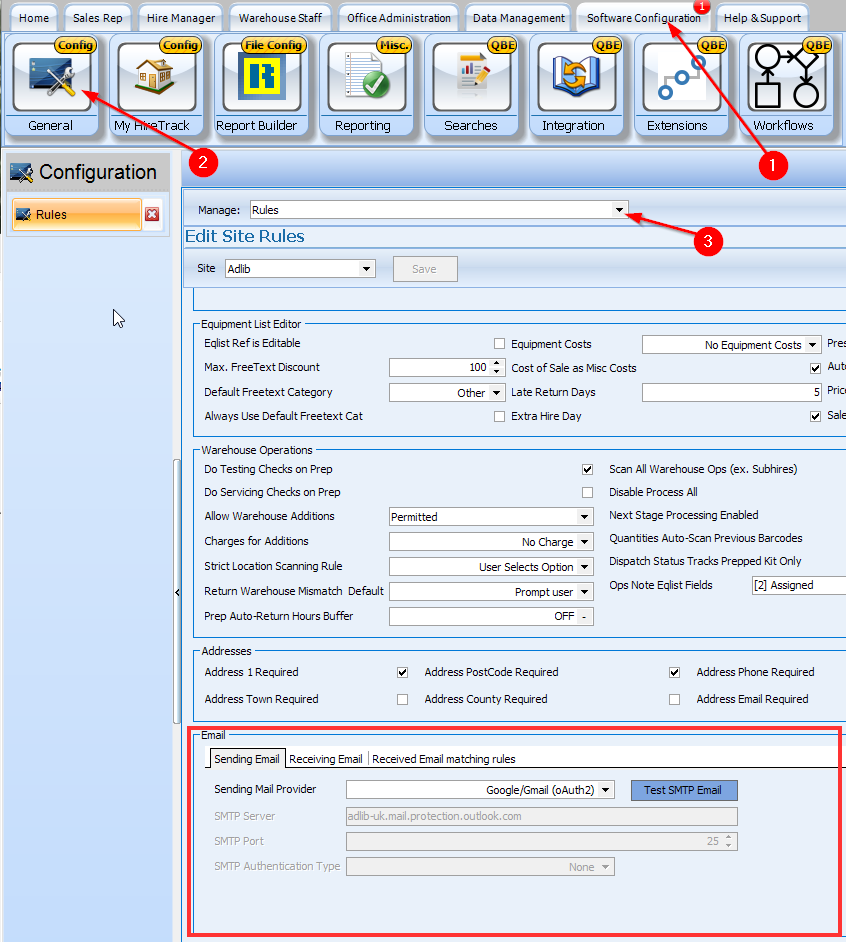
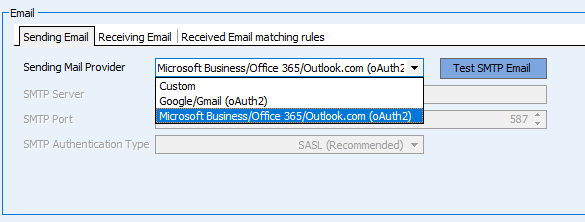
In the Email section select the Provider (Google, Microsoft, or Custom — Custom uses a traditional server address and password instead of using an oauth sign in)
Authenticating
Go to Software Configuration>My HireTrack
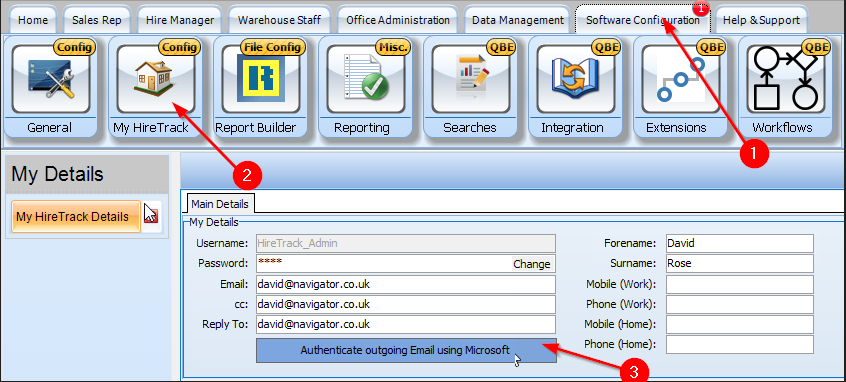
Authenticate outgoing Email using Google/Microsoft. A sign-in window opens showing the provider's own login page; follow the on screen instructions, sign in and grant permission when asked, and the window closes automatically.
NOTE: It is important that the email address that you use to sign in to Google/Microsoft is the same email address as shown in the Email field on the above screen.
So, here I have to log in to Microsoft as [email protected]. If my Microsoft account was [email protected] (a Microsoft address), then I would have to use [email protected] in the Email field in the above screen.
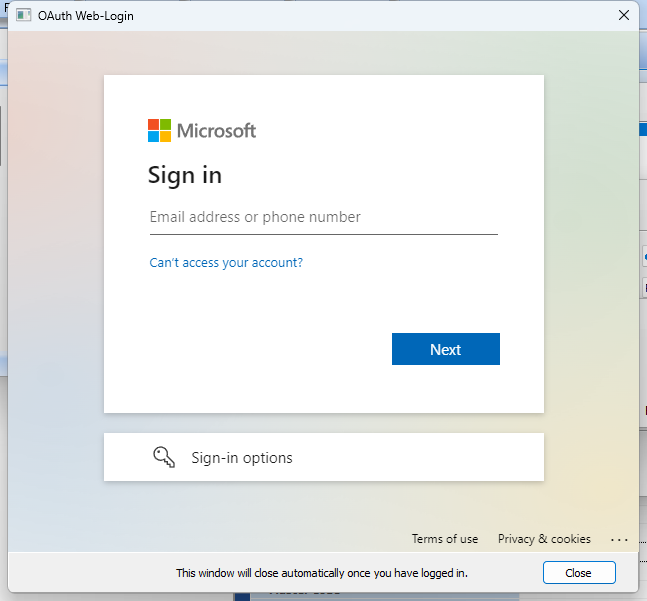
The provider might ask for permission - accept.
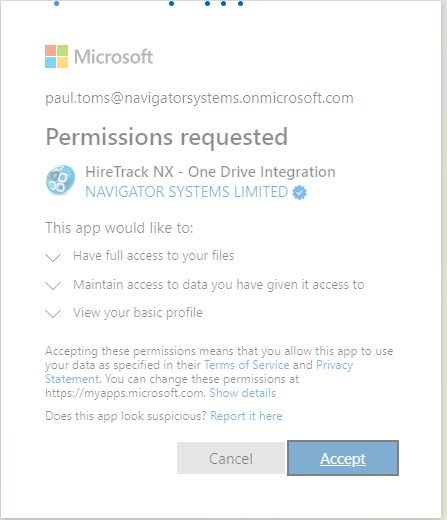
The button then reads Clear Authentication, confirming it's connected.
NOTE: Depending on your Google account type and settings, you may get a warning
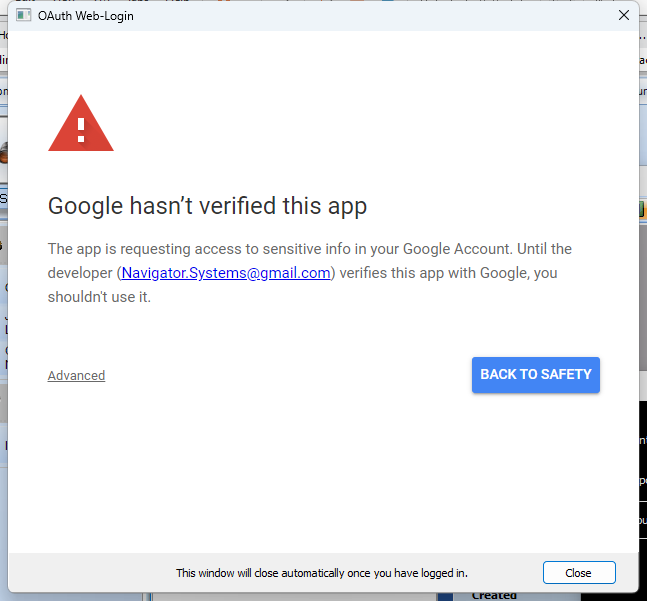
Click on the Advanced link
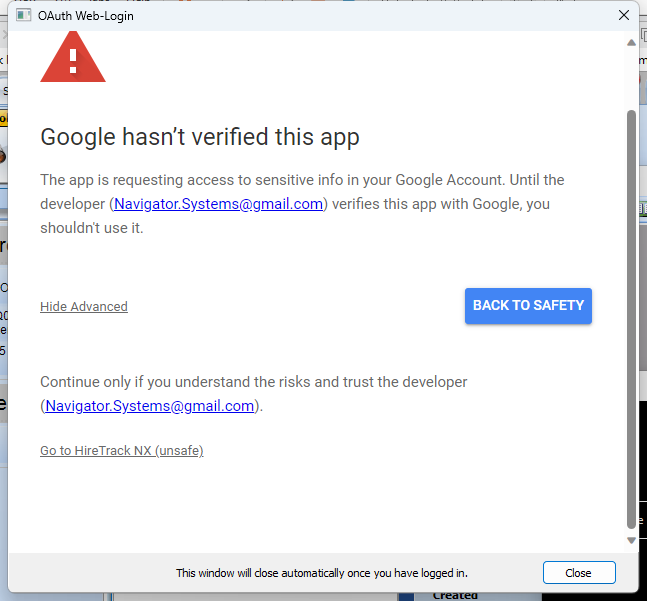
and then click on Go to HireTrack NX (unsafe)
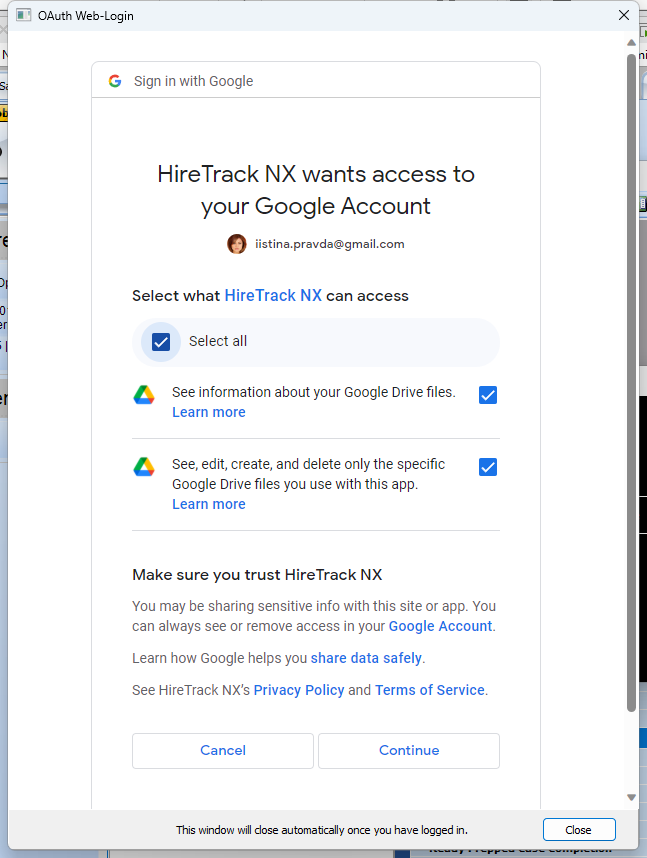
Google will then show you what access we require
Click Select All and Continue
Reconnecting: Clear Authentication, then Authenticate again — same account or a different one.