|
Context Buttons: |
  
|
|
Context Buttons: |
|
There are 4 sections of buttons – which buttons are enabled is based on what is selected in the display
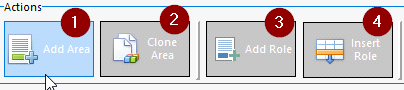
| 1. | Add a new area to the job |
| 2. | Copy an entire area, positions, activities and shifts to a new area – it does not copy people or positions as it is assumed people will not be working on both areas simultaneously |
| 3. | Add a new role to an area |
| 4. | Insert as new above the currently selected role |
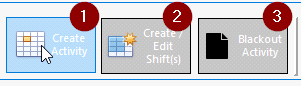
| 1. | Create an activity on the selected day – active when clicking on a blank activity line |
| 2. | Create or edit a shift – enabled when clicking on an empty shift cell or on an existing shift |
| 3. | Blackout Activity – Blocks the day out so shifts cannot be allocated – active when an activity cell with no shifts is selected. |
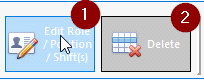
| 1. | Edit the role ( displays Role editor) when a role is selected |
| 2. | Delete the role and all associated shifts |
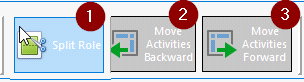
| 1. | When role is selected – this will split the role so that it can be shared between two crew. This is useful when one person is not available for all the days – however you still want to present it as one role to the client |
| 2. | Moves activities of the selected cell and any to its right one day forward |
| 3. | Moves activities of the selected cell and any to its left one day back |

| 1. | Highlight will highlight any cells that match certain conditions |
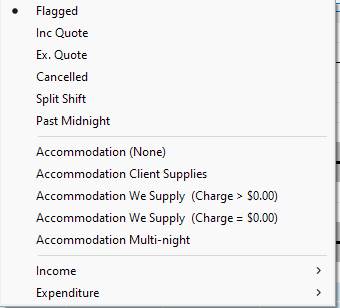
So for instance any flagged cells ( cells can be flagged on the top of the cell editor) will be highlighted on the display – or any shifts set to not be included on the quote or one of many more options
| 2. | Show side panels will restore the side panel if it has been closed by hitting the X at the top right of the helper panels. |
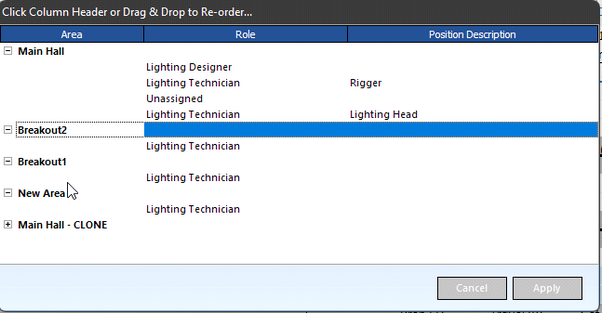
| 3. | Sort Areas and Request invokes an editor which allows you to use drag and drop sorting to reorder the areas or move crew roles around within an area. |
| 4. | Reconcile crew brings up the Crew Overview and Purchase order screen to generate purchase orders or to alter purchase orders to reflect changed dates or amounts |
| 5. | Reconcile Accom. Brings up an editor to allow the editing of hotel rooms and charges. |