|
Cancelling a Position or a Role |
  
|
|
Cancelling a Position or a Role |
|
If you have booked and ordered a person for a Position then you can Cancel them

When you do this, you will receive a prompt:
If you select the Person and Role then all the Shifts will be Cancelled and the Role will have it's status set to Ignore. Note here that we now have orders to deal with on the cancelled shift.

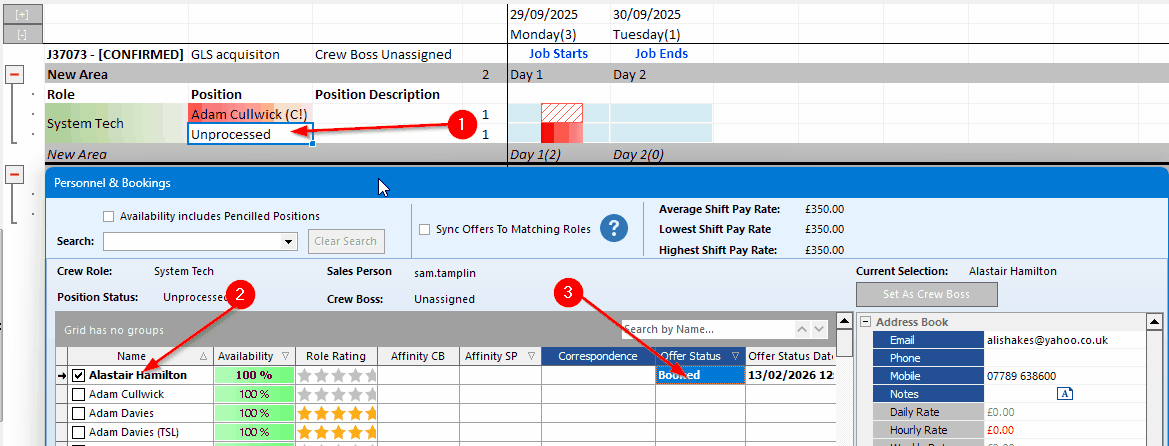
If you select Person Only then the shift will be split, the existing shifts will be Cancelled and a new set of shifts will be created for their replacement. In the image below you can see the new unprocessed line inserted as a split shift.
The purpose of this is to allow you to cancel a person and then reallocate a new person to the same shifts

Once again you use ‘reconcile crew’ to recreate the original PO and the red downward thumb down will disappear.