|
The What's New window |
  
|
|
The What's New window |
|
Introduction
The What's New window summarises the changes in the version of HireTrack NX you are running. It appears automatically the first time each user logs in after the program has been updated, listing new features, enhancements and bug fixes for that update.
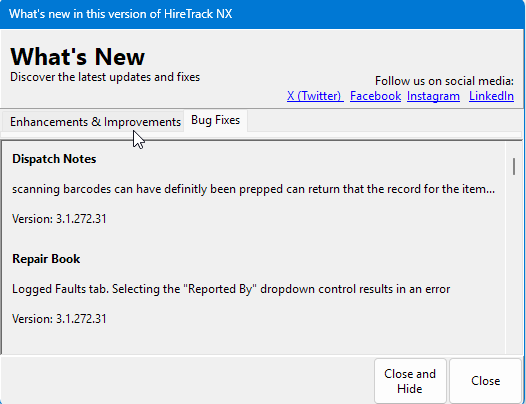
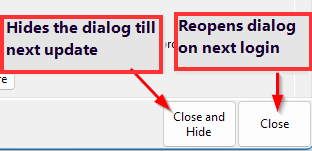
When it appears — HireTrack NX records, per user, the version for which the window was last dismissed with Close and Hide. After an update that no longer matches the running version, so the window shows once at login. Using Close instead leaves the record unchanged, so it reappears at each login until Close and Hide is used. Content is fetched from Navigator Systems over the internet; if the workstation can't reach the service the window says so, which doesn't affect anything else.
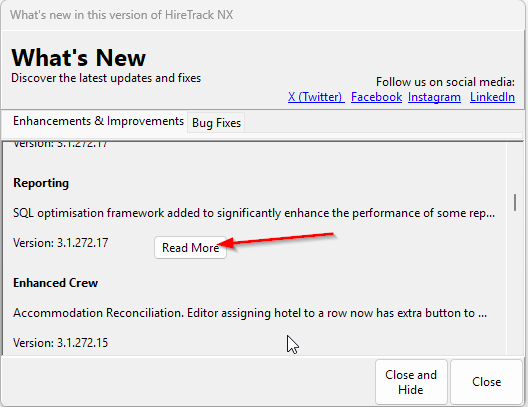
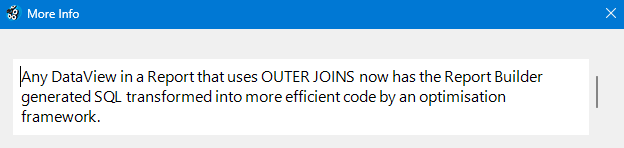
Reading the list — three tabs: New Features, Enhancements & Improvements, Bug Fixes. A tab is hidden if it has no entries for the current version. Each entry shows a category, a short title and the version it applies to; where there's more detail a Read More button opens a panel with the full description.
Closing — Close keeps it set to appear again next login; Close and Hide suppresses it until the next version update. Navigator Systems social-media links are shown along the edge of the window